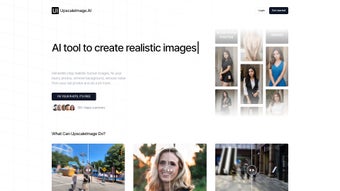

Download UpscaleImage – AI-Powered Image Upscaling, Noise Removal & Text-to-Image Generation Tool
UpscaleImage is a cutting-edge, web-based AI tool that redefines image enhancement and creative generation. Designed for photographers, designers, content creators, and casual users, this platform leverages advanced artificial intelligence to upscale low-resolution images without losing detail, remove noise from old or damaged photos, and even generate realistic human images from simple text prompts. Whether you're restoring vintage family photos, improving product images for e-commerce, or bringing creative concepts to life, UpscaleImage delivers professional-grade results with minimal effort. The intuitive interface and cross-platform accessibility make it easy to use on Windows, Mac, Android, and iOS devices. With features like background removal, character transformation, and seamless AI upscaling, UpscaleImage stands out as a versatile, secure, and free-to-use solution for modern digital image needs.
Revolutionize Image Quality with AI-Powered Enhancement
One of the standout features of UpscaleImage is its ability to upscale images with astonishing precision. Traditional upscaling methods often result in blurry or pixelated outputs, but UpscaleImage uses deep learning algorithms trained on millions of high-resolution images to intelligently predict and fill in missing details. This means that when you upload a low-quality photo—be it a scanned document, a blurry smartphone image, or an old family snapshot—the AI analyzes the existing data and generates realistic textures, edges, and fine details that were previously absent. The result? A high-resolution image that looks natural and crisp, even when zoomed in.
Beyond upscaling, the noise removal feature is a game-changer for restoring damaged or aged photos. Dust, scratches, grain, and compression artifacts are automatically detected and minimized, bringing clarity and vibrancy back to images that once looked worn. This is particularly valuable for archivists, historians, and anyone preserving personal memories. The AI doesn’t just blur or smooth—instead, it intelligently differentiates between noise and actual image content, preserving the authenticity of the original scene.
Another powerful enhancement is the background removal tool, which uses semantic segmentation to identify and isolate subjects with remarkable accuracy. Whether it’s a person, pet, or product, the tool quickly removes the background and delivers a clean, transparent PNG file—perfect for graphic design, e-commerce listings, or social media content. With just one click, you can turn a cluttered photo into a professional-looking image ready for use in any project. These combined capabilities make UpscaleImage a must-have tool for anyone serious about image quality and visual storytelling.
Creative Possibilities: From Text to Image and Character Transformation
UpscaleImage goes beyond mere enhancement by unlocking new creative dimensions through AI-powered image generation. The text-to-image feature allows users to input a simple description—such as “a futuristic cityscape at sunset with flying cars” or “a medieval knight in shining armor standing on a mountain”—and instantly receive a high-quality, realistic image generated by the AI. This is ideal for concept artists, writers, marketers, and designers who need visual inspiration or assets without relying on stock photo libraries.
What sets this feature apart is its attention to detail and stylistic consistency. The AI understands context, lighting, perspective, and composition, producing images that are not only visually appealing but also coherent and plausible. You can experiment with different styles—realistic, cartoonish, cyberpunk, or vintage—by adjusting the prompt or selecting a style preset, giving you full creative control.
Additionally, the character transformation tool lets you turn any regular photo into a stylized character image. Whether you want to turn a selfie into a cartoon avatar, a fantasy creature, or a comic book hero, this feature delivers fun and impressive results. It’s a great way to personalize content for social media, gaming avatars, or even branding materials. The AI analyzes facial features, posture, and expression to ensure the transformation remains recognizable while adding artistic flair. With these creative tools, UpscaleImage isn’t just a utility—it’s a digital canvas for imagination.
Easy Installation, Seamless Usage, and Cross-Platform Compatibility
One of the biggest advantages of UpscaleImage is that it’s a web-based application—no downloads, installations, or software updates required. Simply visit the official website from any device with a modern browser: Windows, Mac, Android, or iOS. This means you can enhance your images from a desktop at home, a tablet during a commute, or even a smartphone on the go. The interface is clean, intuitive, and responsive, ensuring a smooth experience regardless of your device.
To get started, just drag and drop your image into the upload zone or select it from your device. Once uploaded, choose your desired feature—upscaling, noise removal, background removal, text-to-image, or character transformation. The AI processes your image in seconds, and you can preview the result before downloading. The output is available in multiple formats, including PNG, JPG, and WebP, with options for transparency and quality settings.
For users concerned about privacy, UpscaleImage processes images directly in the browser and does not store your files on its servers. This ensures your personal photos and sensitive content remain secure and confidential. Additionally, the platform is free to use with a generous daily quota, and premium plans are available for power users who need higher limits or advanced features. With automatic updates and no need for manual maintenance, UpscaleImage delivers a hassle-free, future-ready experience.
Pros and Cons: Is UpscaleImage Right for You?
- Pros:
- High-quality AI upscaling with minimal loss of detail
- Advanced noise removal for restoring old or damaged photos
- Effortless background removal with transparent output
- Text-to-image generation for creative concept visualization
- Character transformation for fun, stylized avatars
- Web-based—no installation, compatible with all major platforms
- Secure and private: images are not stored on servers
- Free to use with generous daily limits
- Cons:
- Free version has daily usage limits
- Text-to-image generation may require precise prompts for best results
- Large file uploads may take longer to process
- Advanced features are locked behind premium subscriptions
- Requires stable internet connection for full functionality
Frequently Asked Questions (FAQ)
Is UpscaleImage free to use?
Yes, UpscaleImage offers a free version with daily usage limits, allowing users to enhance images, remove noise, and generate content without cost. Premium plans are available for higher limits and advanced features.
Can I use UpscaleImage on my mobile device?
Absolutely. Since UpscaleImage is web-based, you can access it from any smartphone or tablet with a browser—no app download required. It works seamlessly on both Android and iOS devices.
Does UpscaleImage store my uploaded images?
No, your images are processed locally in your browser and are not stored on UpscaleImage’s servers. This ensures your privacy and data security, especially for sensitive or personal photos.
How does the text-to-image feature work?
Simply enter a descriptive text prompt (e.g., “a woman with red hair in a forest at dawn”), and the AI will generate a realistic image based on your description. The quality depends on prompt clarity and the model’s training data.
Can I upscale images to any resolution?
While UpscaleImage can significantly increase resolution, the final output depends on the original image quality and AI capabilities. Extremely low-res images may not scale perfectly beyond a certain point, but results are still vastly improved compared to traditional methods.
Final Verdict: A Must-Have AI Tool for Image Enhancement and Creativity
UpscaleImage is more than just an image upscaler—it’s a comprehensive AI-powered toolkit that combines restoration, enhancement, and creative generation in one seamless platform. Whether you’re a professional designer needing crisp product images, a photographer restoring old memories, or a content creator looking to generate unique visuals, UpscaleImage delivers exceptional results with minimal effort. Its web-based nature ensures accessibility across devices, while its privacy-first approach gives users peace of mind.
While the free version has limitations, the core features are robust enough to justify daily use. For those needing more, premium plans offer scalable solutions. With continuous updates and a growing feature set, UpscaleImage is poised to become a staple in digital image workflows.
Ready to transform your images? Download and try UpscaleImage today—your next project deserves the best.



.png)



